This article is no longer updated.
Please go to our new Intercom knowledge base to ensure you're seeing the most recent version.
The link above takes you directly to the equivalent article on Intercom.
Archiving your Calendar Entries moves them to a separate file – the Calendar Archive file – and improves the performance of the Calendar Entries file. We recommend you do this at least once each year.
To archive calendar entries, go to Common Tasks > End of year procedures > Archive Calendar Entries.
The script will take you to the All Fields view of the Calendar Entries file.
Perform a Find for the records you wish to archive.
Usually, you will simply enter e.g. "<2025" in the Date field to find all records prior to that year.
From here, select Archive Found Set.

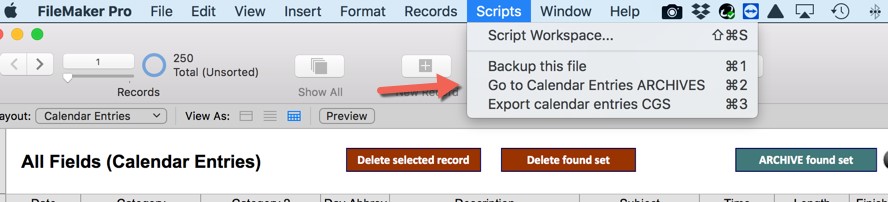
To view Archived Calendar Entries, select from Scripts in the Calendar Entries file.