

This article is no longer updated.
Please go to our new Intercom knowledge base to ensure you're seeing the most recent version.
The link above takes you directly to the equivalent article on Intercom.
The Budgets file facilitates tracking of department budgets. Budgets can be linked to orders and invoices. To view and edit budgets, go to Setup Files > Budgets.
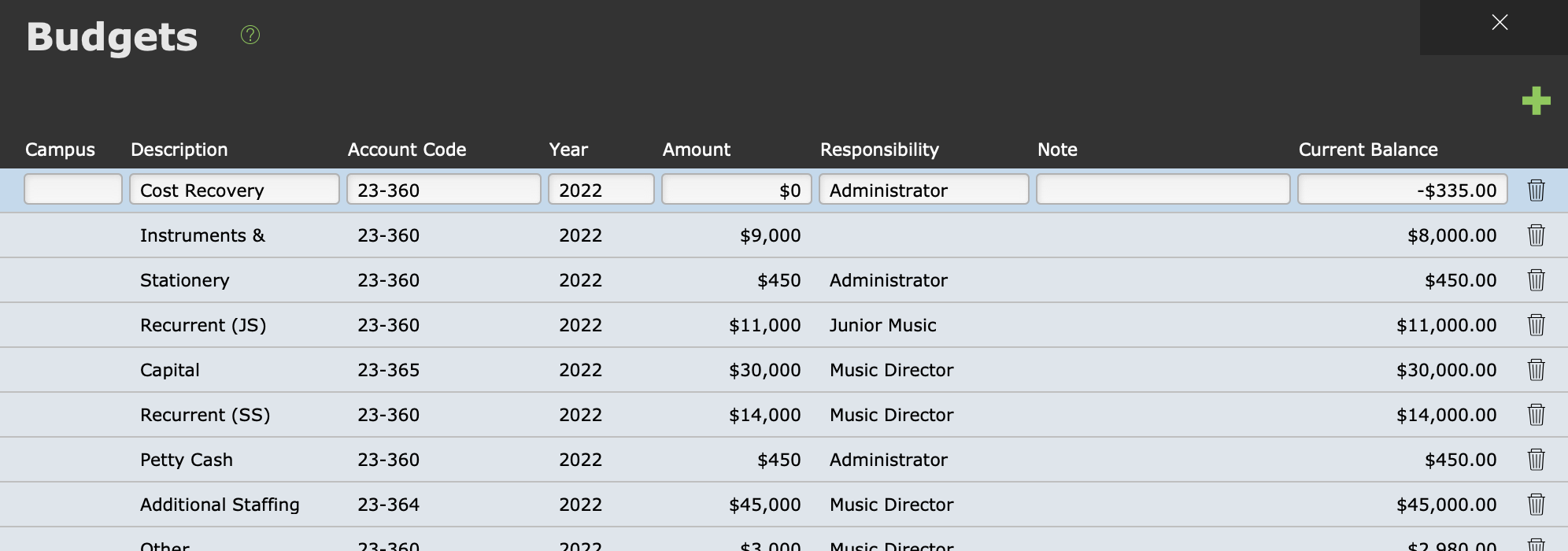
Each record in this file should be a budget division. To add budget divisions, select New Record (the green + icon).
Account Code can be any text, but it's usual to make these codes match the ones you use in your finance system.
Amount should denote the total amount available.
Current Balance will automatically calculate based on the budget usage in invoices.
See Manage Purchase Orders & Invoices for guidance on this.
See also Financial Reports for an overview of how Music Monitor relates to your finance system.