

This article is no longer updated.
Please go to our new Intercom knowledge base to ensure you're seeing the most recent version.
The link above takes you directly to the equivalent article on Intercom.
Navigate to Miscellaneous Fees
The Fees File hosts miscellaneous fee records. You can navigate to the Fees File by selecting Setup Files > Fees > Miscellaneous.
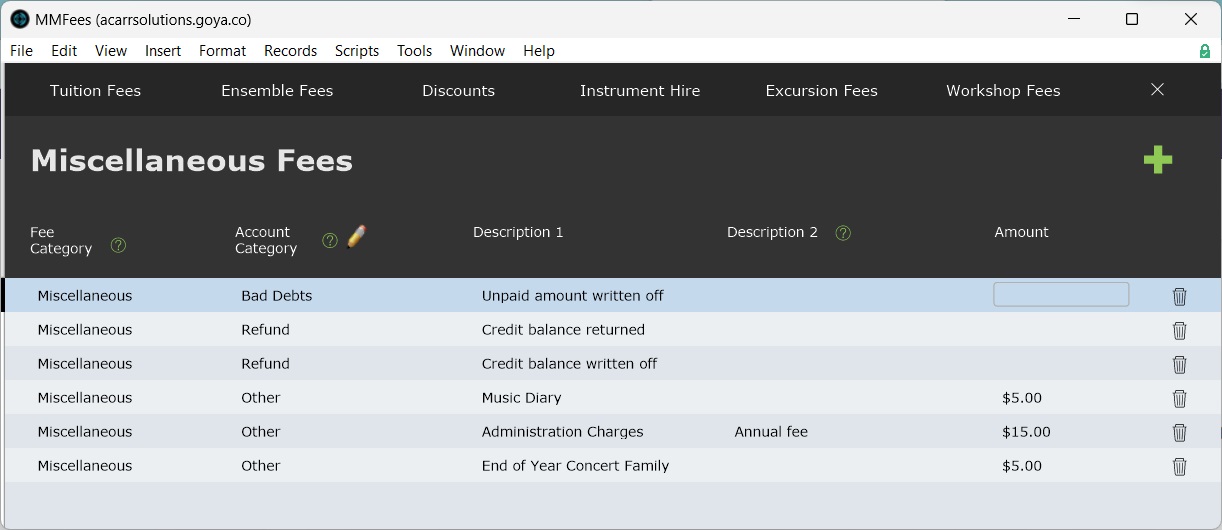
Add a Miscellaneous Fee Record
Add a new miscellaneous fee record using New Record (the green + icon).
All fees should be assigned an Account Category. See Manage Account Codes.
Edit a Miscellaneous Fee Record
A miscellaneous fee record can be freely edited. Changes will apply to all future student accounts line items.
Delete a Miscellaneous Fee Record
Miscellaneous fee records can be freely deleted using the Trash icon on the end of the row for that record.