

This article is no longer updated.
Please go to our new Intercom knowledge base to ensure you're seeing the most recent version.
The link above takes you directly to the equivalent article on Intercom.
Mobile Numbers can be ‘cleaned’ for use with the SMS feature in Music Monitor. For this end, mobile numbers must have no spaces or other symbols.
This method uses the Replace Field Contents function. Changes made this way cannot be undone. Caution should be used.
First, in the Students file, select Show All Records.
Next, ‘click into’ the Mobile 2 field on one of the records, and select Records > Replace Field Contents from the grey top bar.
In the dialogue box, select Specify. In the calculation box, enter “Filter ( Mobile 2 ; “0123456789” )”
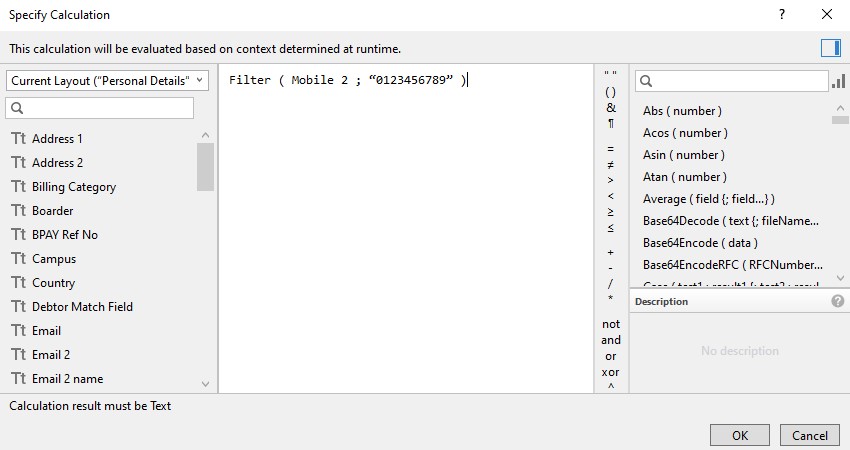
Select OK, then Replace.
To do this for the Student Mobile field, repeat the steps above, but make sure your cursor is in the Student Mobile / Mobile 1 field, and in the calculation, use “Mobile 1” instead of “Mobile 2”.