

This article is no longer updated.
Please go to our new Intercom knowledge base to ensure you're seeing the most recent version.
The link above takes you directly to the equivalent article on Intercom.
Go to People > Staff.
Select a staff member.
Select the red Timetabling button in the top bar.
The portal opens on the teacher's Schedule tab.
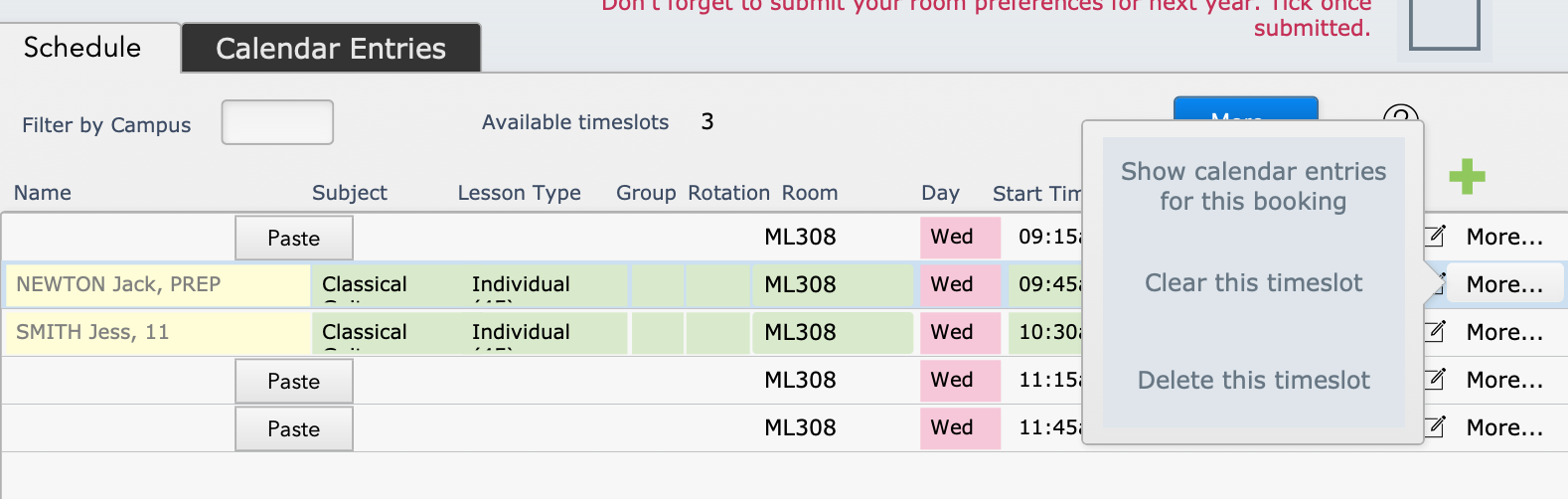
On a populated timeslot, select the white More... button on the right-hand end of the row.
Select Clear this timeslot.
That will leave the timeslot in place, but with nothing scheduled in it.
Alternatively, you can Delete this timeslot to remove it entirely from the schedule.
Clearing (or deleting) a timeslot that has future calendar entries will trigger Music Monitor to delete those calendar entries.