

This article is no longer updated.
Please go to our new Intercom knowledge base to ensure you're seeing the most recent version.
The link above takes you directly to the equivalent article on Intercom.
WebDirect allows access to Music Monitor through a web browser. This is only possible using FileMaker Server and a Music Monitor Team License.
Music Monitor is only optimised for use via WebDirect with Teacher Login Accounts. WebDirect must never be used for other account types.
WebDirect can be activated via the FileMaker Server Admin Console under Connectors > Web Publishing by toggling on FileMaker WebDirect and Primary Machine.
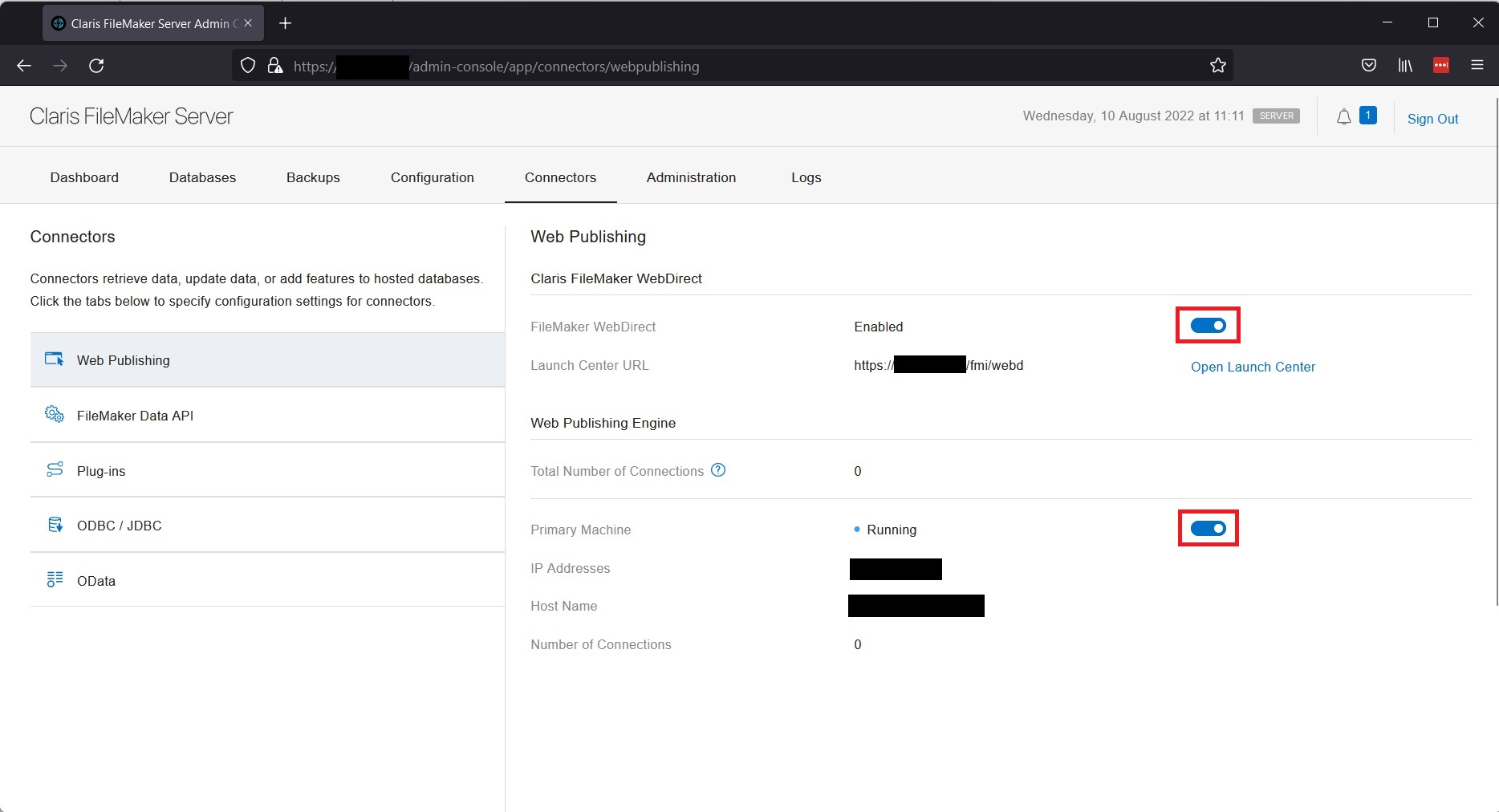
The URL for the launch center takes the format "https://hostaddress/fmi/webd" where 'hostaddress' is the domain name or IP address.
For WebDirect to be used outside the local network, port forwarding must be set. You can find more information on the Claris help site here.