

This article is no longer updated.
Please go to our new Intercom knowledge base to ensure you're seeing the most recent version.
The link above takes you directly to the equivalent article on Intercom.
The Housekeeping Script is a data verification, maintenance and correction script. The Housekeeping Script runs automatically each night on the Music Monitor server machine. (For Music Monitor hosted on the user's computer see Bypass or Run.)
The Housekeeping Script can also be run on demand. Go to Settings (the gear icon) > Troubleshooting.
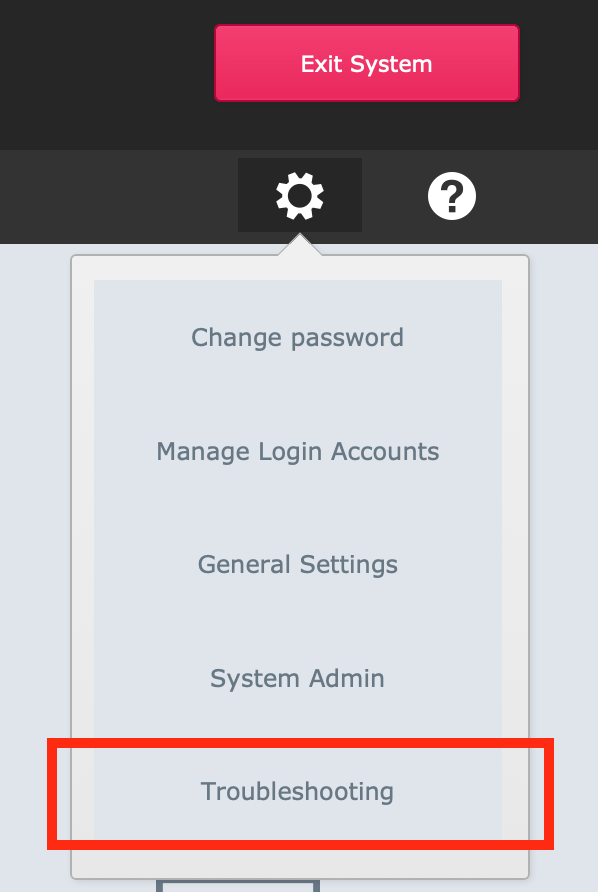
Then select Fix Data / 'Housekeeping' Script. (For version 9.111 and earlier use Tools > Troubleshooting > Fix Data / 'Housekeeping' Script.)
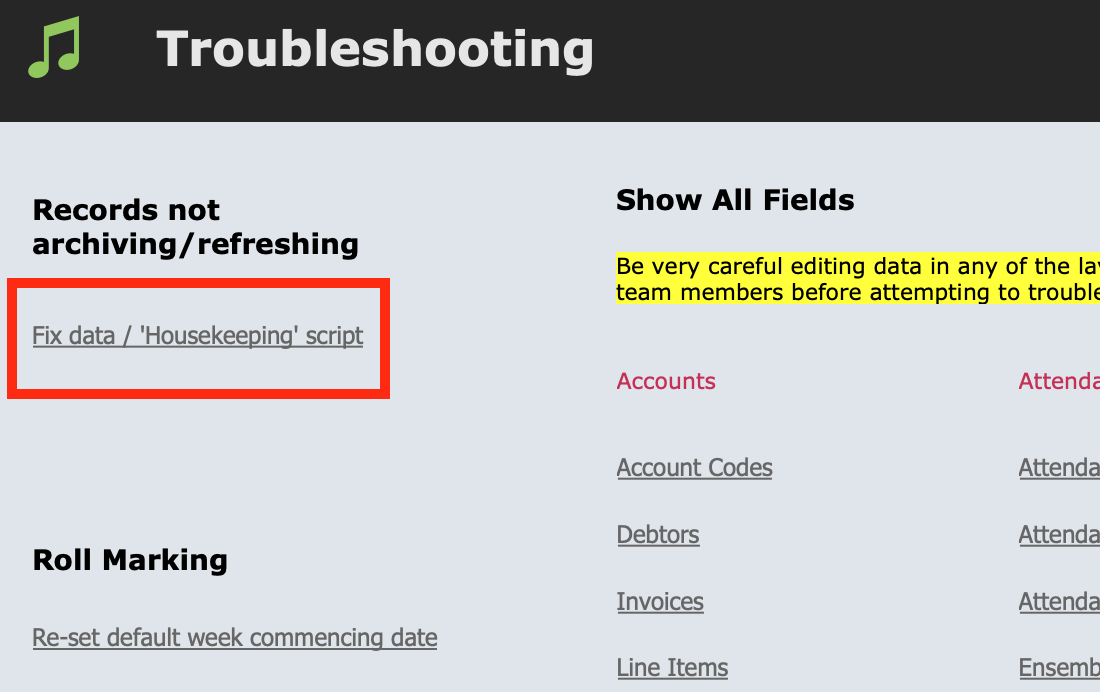
The Housekeeping Script runs through a series of data checks, including changing the status on records where Finish Date or Termination Date are past dates.
When the data in Music Monitor includes an inconsistency, the Housekeeping Script can sometimes correct the issue. If you encounter a situation like this, please inform a member of the Music Monitor team so we can investigate the original cause of the data inconsistency.