

This article is no longer updated.
Please go to our new Intercom knowledge base to ensure you're seeing the most recent version.
The link above takes you directly to the equivalent article on Intercom.
Notes can be added to a tuition enrolment record when viewing it in Tuition Form View. This view can be accessed by selecting the record in Tuition or the Tuition Tab in Students.
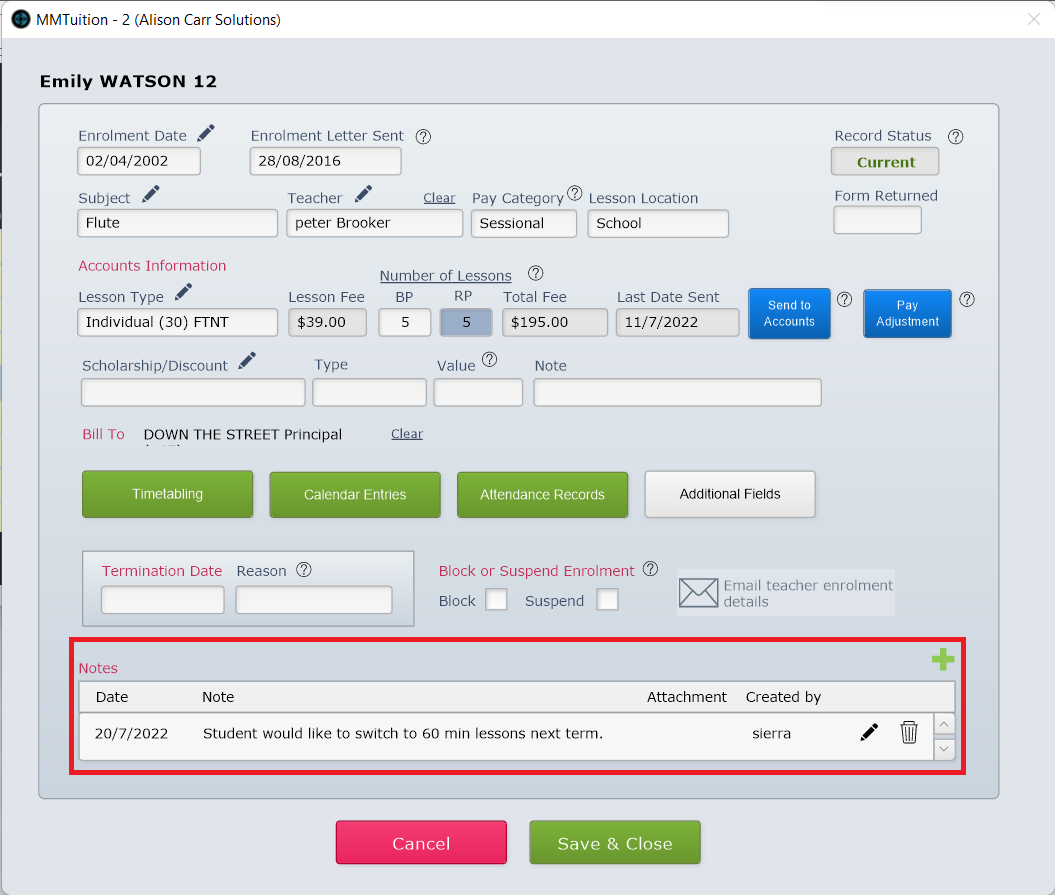
To add a note, select New Record (the green plus icon). Then enter the details. Each note many contain an attachment.
You can set a Code for each note when adding it or editing it.
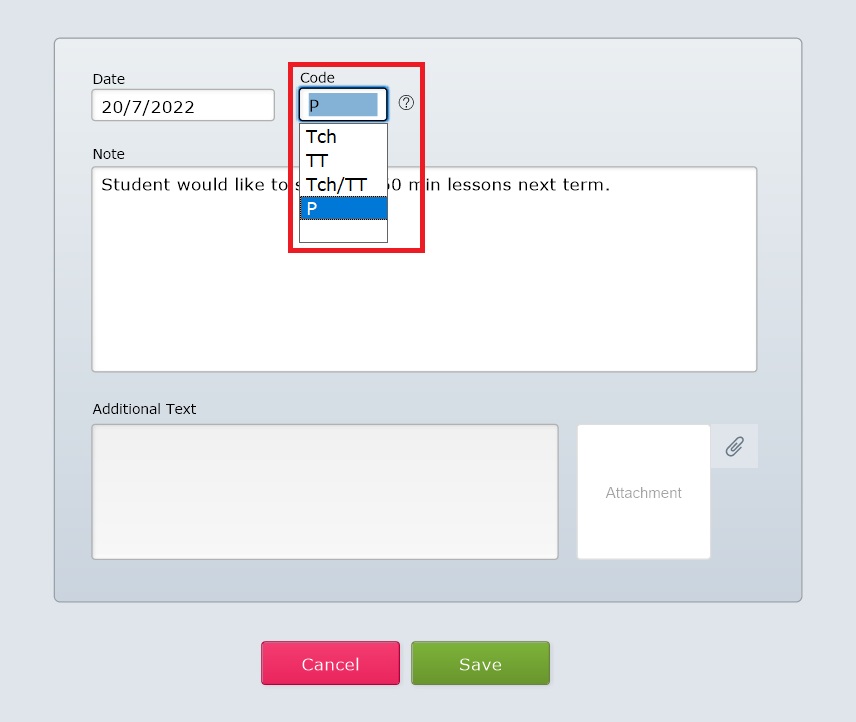
The codes are as follows:
Tch is visible to the teacher
TT is visible during timetabling
Tch/TT is visible to the teacher and while timetabling
P is only visible to music administrators
Notes set to ‘Tch’, ‘TT’ and ‘Tch/TT’ can be deleted in bulk, and should ideally be used for temporary notes, with 'P' used for notes that must be kept permanently.
These notes are visible in the Tuition file, and also in the Notes tab of the Students file.