

This article is no longer updated.
Please go to our new Intercom knowledge base to ensure you're seeing the most recent version.
The link above takes you directly to the equivalent article on Intercom.
There is an option on the Invoice Set Up screen to include the outstanding balance on invoices.
Go to Common Tasks > Set up - Conservatoriums > Set up invoice template
In the bottom right part of the setup screen is an option to Display total outstanding balance (including previous invoices) on each invoice?
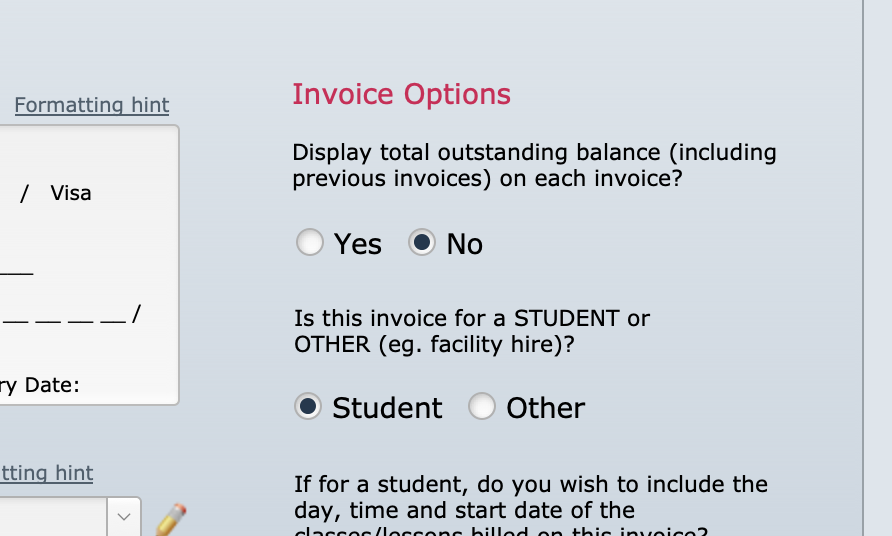
Simply select Yes to this.
Invoices will now show the balance of the current invoice, but also another line stating the total outstanding across all of this customer's invoices.
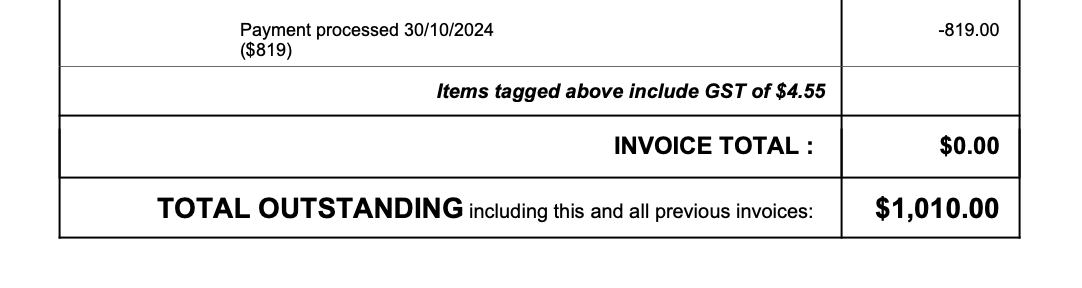
Note that although the text says "previous invoices", in fact it counts all invoices. In the above example I opened an old, fully paid invoice for a customer who has a current invoice owing, and as you can see it includes the balance of the more recent invoice in its total. Normally a customer would see this on their most recent invoice.